
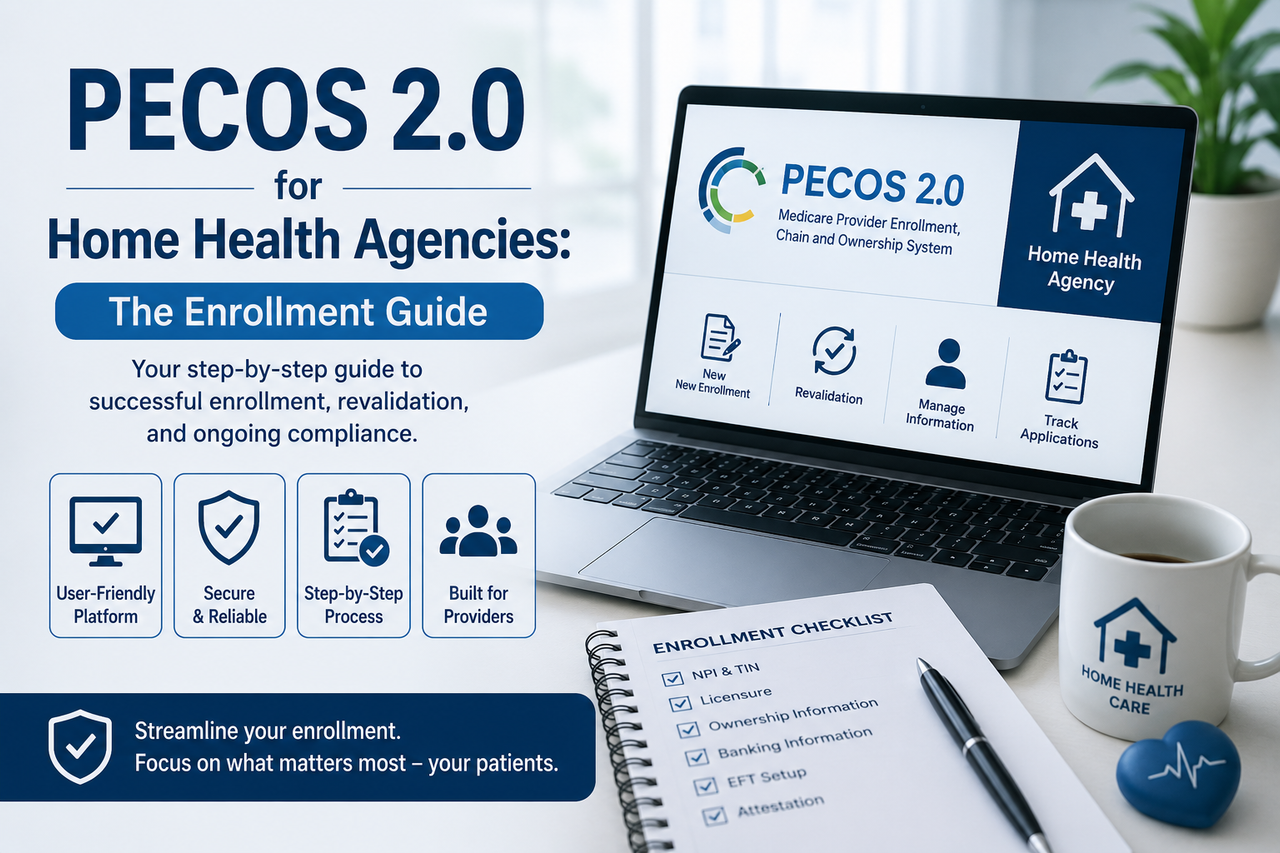
The Home Health Enrollment Landscape Just Changed
For a home health agency (HHA), Medicare billing privileges are the foundation of everything. Without an active enrollment record in the Provider Enrollment, Chain, and Ownership System (PECOS), an agency cannot submit claims, cannot receive reimbursement, and — in practical terms — cannot operate. Yet enrollment is often treated as a one-time administrative chore that gets filed away and forgotten until a claim rejects or a revalidation notice arrives.
In 2025, the Centers for Medicare & Medicaid Services (CMS) began rolling out PECOS 2.0, a ground-up modernization of the enrollment platform that HHAs have used for years. The upgrade brings a friendlier interface and faster revalidation, but it also introduces something far more consequential for your revenue cycle: real-time data validation that cross-checks your enrollment record against external federal databases as you type. Small inconsistencies that used to slip through unnoticed now surface as immediate flags — and unresolved flags can hold up your application or, worse, jeopardize billing privileges.
This guide explains what PECOS 2.0 is, how enrollment and revalidation work for home health agencies, why the relationship between your NPPES record and your PECOS record has become a frontline compliance issue, and what a disciplined agency should do to stay ahead of it. Because enrollment errors directly affect payment, this is a Your-Money-Your-Life topic: every operational rule below should be confirmed against official CMS guidance before you act, and we link to CMS.gov throughout.
What Is PECOS, and What Changed in PECOS 2.0
PECOS is the online system CMS uses to manage Medicare provider and supplier enrollment. It is where an HHA establishes billing authorization, discloses ownership and managing employees, keeps its practice information current, and completes periodic revalidation. Institutional providers such as home health agencies enroll and maintain their records using the CMS-855A application, submitted electronically through PECOS (CMS: Chain, Ownership System (PECOS)).
PECOS 2.0 is CMS's redesigned version of that system. According to CMS and industry reporting, development began in 2023, pilot testing ran with select Medicare Administrative Contractors (MACs) in 2025, and the production system is rolling out in phases with migration continuing through 2026. The goal is to replace a dated, form-heavy workflow with a guided, validation-first experience.
The features that matter to a home health agency
- Real-time field validation. Instead of submitting an application and waiting weeks to learn it was rejected, PECOS 2.0 validates fields as you enter them, checking your data against external databases at the point of entry.
- Automated cross-referencing. The system cross-checks enrollment data against sources including the IRS, the National Plan and Provider Enumeration System (NPPES), the Office of Inspector General (OIG) exclusion list, and the System for Award Management (SAM). Discrepancies trigger flags rather than passing through silently.
- Simplified revalidation. PECOS 2.0 pre-populates your existing information so you review and update only what has changed, rather than re-entering an entire application.
- Multi-state enrollment in a single application. Agencies operating across MAC jurisdictions can, in many cases, handle enrollment through one application instead of filing separate paperwork for each contractor.
- A modernized interface with clearer prompts and better status tracking.
The theme running through all of these features is the same: PECOS 2.0 is less forgiving of dirty data. Convenience is the headline; data discipline is the price of admission.
Enrolling a Home Health Agency in Medicare
New HHA enrollment is a multi-step process, and PECOS 2.0 changes the mechanics of how you complete it more than the substance of what CMS requires. At a high level, an agency establishing Medicare billing privileges must:
- Obtain a National Provider Identifier (NPI) for the organization through NPPES. The NPI and the underlying NPPES record are the identity anchor for everything that follows.
- Set up Identity & Access (I&A) credentials so authorized officials and staff can act on the agency's behalf inside PECOS.
- Complete the CMS-855A institutional enrollment application, disclosing legal business name, tax identification number, practice locations, ownership interests, managing employees, and authorized/delegated officials.
- Pay the Medicare enrollment application fee. CMS charges an institutional application fee that is adjusted annually; confirm the current amount on CMS.gov before you submit, as it changes each calendar year (CMS: Become a Medicare Provider or Supplier).
- Enroll in Electronic Funds Transfer (EFT) so Medicare payments can be deposited. CMS requires EFT when you enroll, revalidate, or make certain changes.
- Complete state survey and certification or accreditation by a CMS-approved accrediting organization, as required for HHAs.
Because home health has historically been an area of heightened program-integrity scrutiny, HHA applications are frequently subject to additional review, and CMS periodically imposes enrollment moratoria in specific geographic areas. Processing timelines vary widely — straightforward applications can take a month or two, while applications involving ownership complexity can run several months or longer. The practical takeaway: start early, and submit clean.
Where credentialing fits
Enrollment is only one layer of getting paid. In parallel with Medicare enrollment, an agency's clinicians and the organization itself must be credentialed with the payers and networks the agency bills. Keeping enrollment, credentialing, and payer records aligned is exactly the kind of detailed, deadline-driven work that agencies frequently outsource. Medeoan's credentialing services exist to keep these records synchronized so that an enrollment flag never becomes a payment stoppage.
Revalidation: The Deadline That Quietly Threatens Your Cash Flow
Enrollment is not permanent. CMS requires providers to periodically revalidate — re-verify and re-attest to all of their enrollment information — to confirm the record on file is still accurate.
How often home health agencies revalidate
- Institutional providers, including home health agencies, revalidate every five years. (DMEPOS suppliers revalidate every three years, but that shorter cycle does not apply to HHAs.) (CMS: Revalidations)
- CMS posts revalidation due dates in advance — generally about six months ahead — on the public Medicare Revalidation Due Date List, which you can search by NPI or organization name (CMS Data: Revalidation Due Date List).
- Your MAC typically sends a revalidation notice by email or U.S. mail in the months leading up to your due date. Do not wait for the letter, however — CMS advises checking the published list, because notices can be missed, misrouted, or sent to an outdated contact on file.
What happens if you miss the deadline
This is where revalidation stops being paperwork and starts being a revenue event. Per CMS, failing to revalidate on time can result in:
- A hold on your Medicare reimbursement, and ultimately
- Deactivation of your Medicare billing privileges.
Deactivation is not a soft warning. If your billing privileges are deactivated, you must submit a complete new enrollment application to reactivate, and — critically — Medicare will not reimburse you for services furnished during the period you were deactivated (CMS: Revalidations). CMS describes this as a gap, not a delay, in coverage. For a home health agency delivering visits every day, even a short deactivation window can translate into a large block of unrecoverable revenue.
The PECOS 2.0 revalidation upside
The modernized system does make the mechanics easier: because PECOS 2.0 pre-populates your existing record, revalidation becomes a review-and-confirm exercise rather than a full re-entry. But that convenience assumes your record is clean going in. If the pre-populated data contains a stale address, an outdated managing employee, or a legal-name mismatch, the new real-time validation will catch it — and you will be resolving discrepancies under deadline pressure instead of confirming a tidy record.
The NPPES–PECOS Data Trap
Here is the single most important operational change for HHAs to internalize about PECOS 2.0: your NPPES record and your PECOS record must agree.
Two systems, one identity
NPPES is where your NPI lives — the registry of your legal business name, practice address, taxonomy, and authorized contacts. PECOS is where your Medicare enrollment lives. Historically, agencies treated these as separate filing cabinets, updating one and forgetting the other. Data flows from NPPES into PECOS, so a discrepancy in your NPI record does not stay contained — it surfaces as a conflict inside PECOS.
Common mismatches that cause trouble:
- Legal business name differs between NPPES and PECOS (for example, after a rebrand, a corporate restructuring, or a typo that was never corrected).
- Practice or mailing address was updated in one system but not the other.
- Taxonomy code is outdated or inconsistent.
- Authorized official or contact information no longer matches.
Why a mismatch now threatens billing privileges
Under the old PECOS, minor inconsistencies frequently went unnoticed and claims still processed. Under PECOS 2.0's automated cross-referencing, those same inconsistencies trigger immediate flags. Industry analysis of the new system reports that a mismatch between NPPES and PECOS — a name, address, or taxonomy discrepancy — has become one of the leading causes of application and claim rejections, and that PECOS 2.0 may refuse to save an application until the upstream NPPES data is corrected first.
The downstream consequences of unresolved mismatches include:
- Claim rejections and payment delays while the discrepancy is investigated.
- Revalidation processing delays, which erode your buffer against the deactivation deadline.
- In the worst case, deactivation or revocation of Medicare billing privileges if changes that should have been reported were never reconciled.
The reporting-timeframe rule most agencies underestimate
CMS requires enrolled institutional providers to keep their information current within defined windows. For CMS-855A providers, the general framework is:
- Changes in ownership or controlling interest must be reported within 30 days.
- Most other changes — business name, practice location, contact information, managing employees — must be reported within 90 days (CMS: Manage Your Enrollment).
The mistake agencies make is updating PECOS to satisfy this rule while leaving NPPES untouched — or vice versa. In the PECOS 2.0 era, that half-update is precisely what creates a mismatch. The correct discipline is to update both systems together, every time, and to fix upstream NPPES data first so PECOS has consistent information to validate against. Confirm the reporting timeframes that apply to your specific situation on CMS.gov, since program-integrity rules for home health can carry additional requirements.
A Practical Compliance Playbook for HHAs
You do not need to fear PECOS 2.0. You need a routine. The agencies that will sail through the transition are the ones that treat enrollment data as living infrastructure rather than a filed form.
Build an enrollment control routine
- Know your revalidation due date. Look it up on the CMS Revalidation Due Date List today, record it in your compliance calendar, and set reminders at six, four, and two months out. Do not rely solely on the MAC notice.
- Reconcile NPPES and PECOS on a schedule. Conduct a quarterly audit comparing legal name, addresses, taxonomy, ownership, and authorized contacts across both systems. Resolve any drift immediately.
- Update both systems together. Whenever something changes — an address, an official, an ownership interest — treat NPPES and PECOS as a single update event, and fix NPPES first.
- Keep I&A access current. Departing staff who retain PECOS access, or authorized officials who have left the organization, are both a security risk and a revalidation obstacle. Review access whenever staffing changes.
- Document every change. Retain confirmation numbers, submission dates, and screenshots. If a claim later rejects over an enrollment discrepancy, this trail is your fastest path to resolution.
- Verify EFT and banking details whenever your financial information changes, so payments never route to a closed account.
When to bring in specialized support
Enrollment and revalidation are exacting, deadline-bound, and unforgiving of small errors — and they sit directly upstream of your ability to get paid. For many agencies, the most reliable safeguard is to have this work owned by a team that does it every day and monitors it continuously.
Medeoan's credentialing team manages provider and organizational enrollment, keeps NPPES and PECOS records synchronized, and tracks revalidation deadlines so they never lapse. Because enrollment integrity is inseparable from getting claims paid, this work is tightly integrated with our end-to-end revenue cycle management services — enrollment discipline on the front end prevents the denials and payment holds that show up on the back end. And for agencies that want a broader assessment of documentation, coding, and compliance health, our home health review puts enrollment integrity in the context of your entire operation.
The Bottom Line
PECOS 2.0 modernizes Medicare enrollment for home health agencies with real-time validation, easier revalidation, and multi-state enrollment. But it raises the bar on data accuracy. The system's automated cross-referencing means the long-tolerated gap between your NPPES record and your PECOS record is now a live liability — one that can flag applications, delay revalidations, and, if neglected, threaten the billing privileges your agency depends on.
The defense is not complicated, but it must be consistent: know your revalidation due date, reconcile NPPES and PECOS on a schedule, update both systems together within CMS's reporting windows, and treat enrollment data as core operational infrastructure. Verify every specific rule, fee, and deadline against official CMS guidance before you act — and when the stakes and the workload justify it, put this work in the hands of a dedicated team.
Frequently Asked Questions
What is PECOS 2.0 for home health agencies?
PECOS 2.0 is CMS's modernized version of the Provider Enrollment, Chain, and Ownership System — the platform home health agencies use to enroll in Medicare, disclose ownership, update their information, and revalidate. Rolling out in phases from 2025 into 2026, it adds real-time field validation, automated cross-referencing against databases such as NPPES, the IRS, OIG, and SAM, pre-populated revalidation, and multi-state enrollment through a single application. For HHAs, the practical impact is that enrollment data must now be far more accurate, because inconsistencies are flagged immediately. Confirm current functionality on CMS.gov.
How often does a home health agency have to revalidate its Medicare enrollment?
Home health agencies are institutional providers and revalidate every five years, per CMS. (DMEPOS suppliers revalidate on a shorter three-year cycle, but that does not apply to HHAs.) CMS posts revalidation due dates in advance — generally about six months ahead — and your MAC typically sends a notice in the months before the deadline. You should not wait for the notice; look up your due date on the CMS Revalidation Due Date List and calendar it.
What happens if my agency misses its revalidation deadline?
Per CMS, missing your revalidation deadline can result in a hold on your Medicare reimbursement and, ultimately, deactivation of your billing privileges. Deactivation means you must submit a complete new enrollment application to reactivate, and Medicare will not pay for services furnished during the deactivated period. CMS characterizes this as a gap — not merely a delay — in your Medicare coverage, which for a daily-visit home health operation can mean substantial unrecoverable revenue. See CMS: Revalidations.
Why do NPPES and PECOS need to match?
Your NPI record in NPPES feeds into your PECOS enrollment, so the two systems must present consistent information — legal business name, address, taxonomy, and authorized contacts. Under PECOS 2.0's automated cross-referencing, a mismatch that older systems ignored now triggers an immediate flag. Discrepancies can cause claim rejections, revalidation delays, and, if left unresolved, can put billing privileges at risk. The best practice is to update both systems together and correct the upstream NPPES data first.
What is the most common cause of PECOS rejections in the new system?
Industry analysis of PECOS 2.0 identifies data mismatches between NPPES and PECOS — a differing legal business name, an outdated practice address, or an inconsistent taxonomy code — as a leading cause of application and claim rejections. Because PECOS 2.0 validates against NPPES in real time, it may refuse to save an application until the upstream NPPES record is corrected. This is why routine reconciliation of the two systems is now essential rather than optional.
How quickly must a home health agency report changes to its enrollment?
For CMS-855A institutional providers, changes in ownership or controlling interest must generally be reported within 30 days, and most other changes — such as business name, address, contact information, or managing employees — within 90 days. Reporting late, or updating only one system, can create the mismatches that PECOS 2.0 flags. Because home health carries additional program-integrity scrutiny, confirm the timeframes that apply to your situation on CMS.gov.
Is there an application fee for home health enrollment and revalidation?
Yes. CMS charges an application fee for institutional providers when they enroll, revalidate, or add a practice location, and the amount is adjusted every calendar year. Because the figure changes annually, you should confirm the current fee on CMS.gov before submitting rather than relying on a prior year's amount. Enrollment in Electronic Funds Transfer (EFT) is also required so Medicare payments deposit correctly. See CMS: Become a Medicare Provider or Supplier.
How can my agency prepare for the PECOS 2.0 transition?
Start by looking up your revalidation due date and calendaring reminders at six, four, and two months out. Then run a reconciliation of your NPPES and PECOS records — legal name, addresses, taxonomy, ownership, and authorized contacts — and resolve any drift. Adopt a standing rule to update both systems together whenever anything changes, correcting NPPES first. Keep Identity & Access permissions current, document every submission with confirmation numbers, and verify your EFT banking details. Agencies that want this managed continuously often outsource it to a dedicated credentialing team.
Does keeping enrollment clean actually affect my revenue?
Directly. Enrollment sits upstream of every claim: if your PECOS record is inactive, mismatched, or deactivated, claims reject or pay late no matter how well your clinical documentation and coding are done. That is why enrollment integrity is treated as part of end-to-end revenue cycle management — clean enrollment prevents denials and payment holds before they ever reach billing. A periodic home health review can surface enrollment gaps alongside documentation and compliance issues before they cost you money.